Introduction
You don't have to break the bank to get your hands on a high-quality monitor. These are our top budget picks for 2025.
Our Picks
Samsung T35F 27-inch FHD IPS Monitor
Price: $159 at Best Buy
A reliable 27-inch monitor from Samsung featuring:
- Full HD (1920 x 1080) resolution
- IPS panel for better viewing angles
- AMD FreeSync support
- VESA mount compatibility
- HDMI and VGA connectivity
The T35F series offers solid build quality and decent color reproduction for everyday use, office work, and casual gaming.
LG 27MP60G-B 27-inch FHD IPS FreeSync Display
Price: $149 at Amazon
LG's budget-friendly offering features:
- 27-inch Full HD IPS display
- AMD FreeSync technology for smoother gaming
- On-screen control software
- Black stabilizer for gaming
- Reader mode for reduced eye strain
An excellent choice for gamers on a budget who want FreeSync compatibility without breaking the bank.
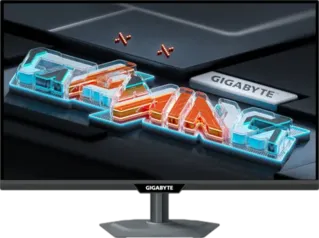
Gigabyte G27FC A 27-inch 1080p 165 Hz Curved Gaming Monitor
Price: $100 at Amazon
The standout budget gaming option with:
- 27-inch curved display for immersion
- 165Hz refresh rate for smooth gameplay
- 1080p resolution
- FreeSync Premium support
- 1ms response time (MPRT)
This is the best value for gamers under $200, offering a high refresh rate and curved screen at an unbeatable price point.
LG 24-inch FreeSync Monitor (24ML600M-B)
Price: $145 at Amazon Status: Update: Out of stock
A compact option featuring:
- 24-inch Full HD display
- AMD FreeSync
- IPS panel
- Black stabilizer
- Reader mode
Perfect for smaller desks or as a secondary monitor.
LG 29-inch UltraWide FHD FreeSync Monitor (29UM59A-P)
Price: $197 at Walmart Status: Update: Out of stock
An ultrawide option in the budget category:
- 29-inch 21:9 ultrawide format
- 2560 x 1080 resolution
- 75Hz refresh rate
- IPS panel
- USB-C connectivity
Great for productivity and immersive gaming on a budget.
What to Look for in a Budget Monitor
Essential Features Under $200
- Panel Type: Look for IPS if possible for better viewing angles and color
- Refresh Rate: 60Hz is standard, but 75Hz+ is better for gaming
- Response Time: 5ms or lower is ideal for gaming
- Connectivity: HDMI is essential, DisplayPort is a bonus
- Adjustability: Tilt adjustment is common; height adjustability is rare at this price
Gaming Considerations
- FreeSync support is a major plus for smoother gameplay
- 144Hz+ refresh rates are available even under $200
- Curved screens can enhance immersion
- Response time matters for competitive gaming
Productivity Considerations
- IPS panels provide better color accuracy for content creation
- 27-inch is the sweet spot for most users
- VESA mount compatibility for ergonomic setups
- Blue light filters for extended use
Conclusion
Budget monitors have come a long way. Even under $200, you can find displays with:
- High refresh rates (165Hz)
- Curved screens
- FreeSync support
- IPS panels
- Large 27-inch sizes
The Gigabyte G27FC A stands out as the best gaming value, while the Samsung and LG options provide excellent all-around performance for general use.