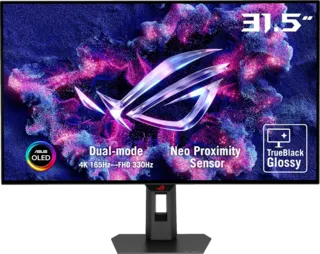
Hands-On Impressions
I've worked and gamed on 27-inch 4K 144Hz IPS screens for the past five years - starting with an Acer Nitro XV273K that required two DisplayPort cables to hit a full 4K 144Hz! - so moving to a 32-inch 240Hz QD-OLED like the PG32UCDM immediately felt like a huge step forward. Despite offering the same resolution - and therefore requiring the same level of GPU performance - you're getting a significantly larger image that's still quite sharp at 140PPI, with dramatically better contrast, motion clarity and HDR performance than even modern Fast IPS alternatives.
This sense of progression isn't one that I've experienced as profoundly with other OLED screens I've tested, such as the 42-inch LG C3 W-OLED or the 34-inch AW3423DW QD-OLED, though these are also great displays with their own niches. I think this primarily comes down to the 32-inch 16:9 form factor, which suits a wider range of content than an ultra-wide yet is much more manageable at a desk than a small TV.
By default, the monitor is set to 150 percent scaling in Windows which works well enough, but you can easily set this to 125 percent or even 100 percent to gain a substantial amount of desktop real estate.
Text Clarity Improvements
There's also a noticeable improvement in text clarity in Windows, thanks to the refined subpixel arrangement in these third-gen Samsung panels. It wasn't until writing this review that I realised what a non-issue text rendering was here, very much in contrast to the AW3423DW where some text fringing was immediately noticeable. Here, you're unlikely to see the difference versus a traditional LCD even at close range, which is a huge step forward.
While the PG32UCDM is much better as a general web browsing, working and image/video editing monitor than its predecessors, thanks to those subpixel improvements and a raft of anti-burn in features (logo detection, screensaver, pixel cleaning, screen shifting), it's clear that gaming and content consumption is the focus here.
Gaming Performance
And - wow. This is a seriously great-looking monitor for games, as you'd hope. What most surprised me was that the combination of the 240Hz refresh rate and OLED's traditional motion handling strengths versus sample-and-hold LCD displays made for an excellent experience even in fast-paced FPS titles.
This felt a big step up versus 120Hz monitors I'd tried previously, and clicking heads in Counter-Strike 2 felt as easy as on the 27-inch 1440p 360Hz QD-OLEDs I'm also testing - perhaps with the larger screen size helping my aging eyes here.
Of course, you do require a monstrous setup - likely with an RTX 4090 - to hit 4K 240fps consistently even in esports titles, but the payoff here is immense.
Cinematic and HDR Gaming
Slower-paced and more cinematic titles also come across beautifully, especially with Nvidia's RTX HDR and Windows 11's Auto HDR providing options to get a reasonable HDR experience even in games that don't natively support the standard.
With HDR engaged, you can see highlights up to 1000 nits, with none of the blooming that characterises even advanced LCD-based displays. Even in SDR, you benefit from a larger screen that allows for a more comfortable sit-back gaming experience, on top of the rich detail and excellent colour reproduction OLEDs are known for.
Console Gaming Support
You can also hook up a PS5 or Series X for gaming at up to 4K 120Hz - you'll have to wait for a future console to hit the full 4K 240Hz, though this is technically possible over either of the two HDMI 2.1 ports the monitor is equipped with.
Media Consumption
If you're in the mood for actual cinema, you're also reasonably well-served here. The Asus model doesn't support Dolby Vision yet, but you can still get a reasonable HDR viewing experience on YouTube, Netflix (via the Edge browser) or Amazon Prime Video (for paid customers only).
Unlike ultrawide monitors, there are no black bars in most mainstream content, and for the odd film that does employ a wider aspect ratio at least the black bars are invisible in a medium to properly dark environment.
Design and OSD
The PG32UCDM features ASUS's excellent OSD implementation with extensive gaming features, calibration options, and the standard ASUS gaming enhancements like crosshair overlays and sniper modes.
Conclusion
The Asus ROG Swift OLED PG32UCDM represents a significant step forward in gaming monitor technology. The combination of 4K resolution, 240Hz refresh rate, QD-OLED panel technology, and 32-inch form factor creates what Digital Foundry considers the best gaming monitor they've tested.
Key strengths:
- Excellent text clarity for an OLED (third-gen Samsung panel)
- Superb HDR performance up to 1000 nits
- Fast 240Hz refresh rate with OLED motion clarity
- Great for both competitive and cinematic gaming
- Versatile 32-inch 16:9 form factor
- Comprehensive burn-in prevention features
- HDMI 2.1 for console gaming
Requirements:
- High-end GPU (RTX 4090 recommended for 4K 240Hz)
- Premium price point
- Awareness of OLED burn-in risks (mitigated by features)
For those seeking the ultimate gaming monitor without compromise, the PG32UCDM sets a new standard.