Overview
4K 240Hz monitors sit at the top of the current gaming display stack: they combine a very sharp desktop image with enough refresh-rate headroom for high-end PC gaming. In the MonitorCritic dataset, this class is mostly made up of OLED and QD-OLED panels, so the choice is less about raw speed and more about size, panel coating, connectivity, price, and how much HDR performance matters to you.
If your GPU cannot regularly push high frame rates at 4K, these monitors still make sense for mixed use because they give you a sharp work canvas and excellent motion clarity when games are lighter or upscaling is enabled.
Shortlist
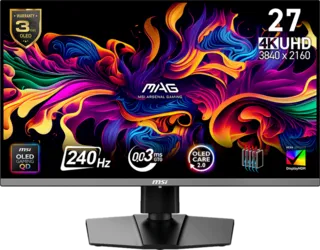
MSI MAG 272UP QD-OLED X24 27
This model is a strong fit if you want the compact 27-inch 4K format with very fast OLED-class pixel response. The dataset gives it a high score because it combines 4K, 240Hz, QD-OLED contrast, strong color coverage, and modern connectivity.
Asus ROG Swift OLED PG32UCDM3 32
The 32-inch 4K OLED format feels more cinematic and more comfortable for single-player games. It is also easier to use as a do-everything screen if you want larger UI elements and a more immersive desk setup.
MSI MPG 321URX QD-OLED 32
This is another 32-inch QD-OLED option for shoppers comparing premium 4K 240Hz screens. It belongs on the shortlist when you want the OLED gaming experience but are comparing value and availability across similar panels.
What To Check Before Buying
First, check desk depth. A 32-inch 4K display can feel large if you sit close, while a 27-inch 4K display gives a denser, sharper look.
Second, check HDMI and DisplayPort needs. Console users should look closely at HDMI 2.1 behavior, while PC users should confirm the GPU and cable path can support the target refresh rate.
Finally, consider OLED care. These panels are outstanding for contrast and motion, but desktop-heavy users should use built-in pixel care features and vary static content.
Final Recommendation
Choose 27-inch 4K 240Hz if you want maximum sharpness and a compact esports-friendly footprint. Choose 32-inch 4K 240Hz if you want the best mix of cinematic gaming, productivity comfort, and premium HDR presentation.