Overview
Photo editing monitors should be judged differently from gaming monitors. Refresh rate is nice, but resolution, color coverage, panel consistency, brightness, connectivity, and ergonomics matter more.
The MonitorCritic dataset includes several creator-friendly families, including Asus ProArt, Dell UltraSharp, BenQ professional displays, LG UltraFine, and Apple Studio Display-style options.
What To Prioritize
Resolution
4K is the safest starting point for modern editing. It gives you room for toolbars, previews, and sharp image inspection. 5K displays are even better for macOS users who care about interface scaling and text clarity.
Color Coverage
sRGB coverage is important for web work. Adobe RGB and wider gamut coverage matter more for print, photography, and professional pipelines. If the dataset has missing color data for a model, treat that as a reason to verify before buying.
Panel Type
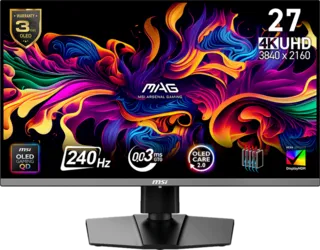
IPS remains a reliable choice for editing because it is familiar, stable, and widely used in professional displays. OLED can look spectacular, but users doing static desktop work should think about brightness behavior and burn-in protection.
Shortlist Themes
Asus ProArt models are strong candidates for creators who want a purpose-built editing display. Dell UltraSharp models are good for office and creative workflows. BenQ PD and PV models are worth checking when color workflow and desk connectivity matter.
Final Recommendation
Choose a creator monitor for editing before choosing a gaming monitor with good color specs. A calmer, accurate 4K IPS display will usually be more useful for photo work than a faster panel built mainly for esports.