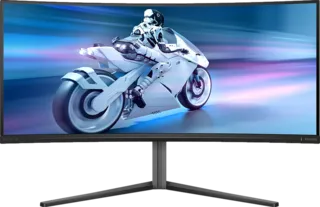
Overview
Ultrawide monitors are less about raw pixel count and more about workflow. They give you room for two or three windows without the bezels and cable clutter of a dual-monitor setup.
The MonitorCritic dataset includes 34-inch, 40-inch, 45-inch, 49-inch, and even larger super-ultrawide displays. The best productivity choice depends on how much desk width you can handle and whether you need gaming performance as well.
Best Formats
34-Inch Ultrawide
This is the safest size for most desks. A 34-inch 3440 x 1440 monitor gives a useful workspace boost without becoming overwhelming.
40-Inch 5K2K
40-inch 5120 x 2160 monitors are excellent for productivity because they combine ultrawide space with more vertical resolution. They are especially strong for coding, editing timelines, and large spreadsheets.
49-Inch Super Ultrawide
49-inch displays can replace two monitors, but they need desk space and a good window-management routine. They are best for finance, simulation, racing, and users who truly benefit from a very wide canvas.
What To Watch
Check curve, resolution, USB-C support, stand ergonomics, and text clarity. Gamers should also check refresh rate and adaptive sync, but office-first shoppers should care more about scaling and comfort.
Final Recommendation
Pick 34 inches for easy productivity, 40 inches for serious work canvas, and 49 inches only if your workflow genuinely benefits from extreme width.