Overview
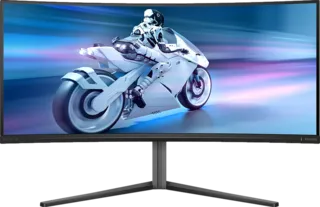
Monitor size changes how a display feels more than almost any spec. A 27-inch 4K monitor feels sharp and compact. A 32-inch 4K monitor feels spacious and immersive. A 34-inch ultrawide changes your workflow entirely.
The MonitorCritic dataset includes everything from portable 15.6-inch screens to 57-inch super ultrawides, so choosing size first can make the rest of the search much easier.
24-Inch
Best for competitive 1080p gaming and tight desks. It keeps your whole field of view easy to scan.
27-Inch
The safest all-round size. It works well for 1440p gaming and compact 4K productivity.
32-Inch
Best for people who want a larger 4K canvas. It is comfortable for mixed gaming, media, and work.
34-Inch Ultrawide
Great for productivity and immersive gaming. It gives more width without going to an extreme desk footprint.
40-Inch And Larger
These are specialist displays. They can replace multiple monitors but require desk depth, good window management, and a clear use case.
Final Recommendation
Choose 27 inches if you want the safest option. Choose 32 inches for a more spacious 4K setup. Choose ultrawide only if you know your workflow benefits from persistent horizontal space.