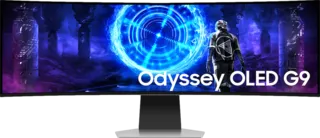
Samsung Odyssey OLED G9 (G95SD) 49
What is a Gaming Monitor?
A gaming monitor is specifically designed to enhance the gaming experience through specialized features that improve performance, but it can also be versatile enough for other uses, such as graphic design, photo/video editing, or general office work.
Gaming Monitor Features
High Refresh Rates:
- Typically 144Hz or above
- Smoother motion and gameplay
- Reduced motion blur
- Better responsiveness
Low Response Times:
- 1ms, 0.1ms, or 0.03ms response times
- Reduced motion blur
- Better clarity in fast scenes
- Critical for competitive gaming
Adaptive Sync Technologies:
- G-Sync (NVIDIA)
- FreeSync (AMD)
- Eliminates screen tearing
- Smoother frame delivery
Additional Features:
- Adjustable stands for ergonomics
- Customizable RGB lighting
- Gaming presets for optimized visuals
- High-resolution displays
Versatility for Non-Gaming Use
For non-gaming tasks, a gaming monitor can function similarly to classic monitors, providing:
- High-resolution displays for productivity
- Enhanced creative work
- Better color accuracy (in many models)
- Professional applications
What is the Best Gaming Monitor?
The best gaming monitor should offer a combination of key features:
Essential Specifications
High Refresh Rates:
- 144Hz or higher recommended
- Creates smoother gameplay
- Reduces input lag
- Better for competitive gaming
Fast Response Times:
- 1ms or lower optimal
- Improves smoothness
- Reduces ghosting
- Enhances visual clarity
High Resolution Displays:
- 2560x1440 (1440p WQHD) - Popular for 27-inch monitors
- 3840x2160 (4K) - Premium option for 32-inch+
- 1920x1080 (1080p) - Budget option for 24-inch
Samsung Odyssey Series
Samsung's Odyssey series provides these features, making it a solid choice for gamers seeking:
- Low input lag
- HDR support
- Advanced display technology
- Balance of responsiveness and display quality
Series Benefits:
- Optimal experience for competitive gaming
- Great for immersive play
- Multiple size and resolution options
- OLED, Mini-LED, and traditional LCD options
What Should I Look for in a Gaming Monitor?
Key Considerations
1. Refresh Rate
- Higher is better for gaming
- 144Hz minimum for serious gaming
- 240Hz+ for competitive/esports
- Match to your GPU capabilities
2. Response Time
- Lower is better
- 1ms standard for gaming
- 0.03ms available (OLED)
- Affects motion clarity
3. Resolution
- 1080p (FHD): Budget-friendly, easier to drive high FPS
- 1440p (WQHD): Sweet spot for most gamers
- 4K (UHD): Premium, requires powerful GPU
- Choose based on GPU power and preference
4. Panel Technology
- OLED: Best contrast, fastest response, perfect blacks
- Mini-LED: Excellent HDR, good contrast
- VA: Good contrast, affordable
- IPS: Good colors and viewing angles
5. Adaptive Sync
- FreeSync Premium: AMD graphics cards
- G-Sync: NVIDIA graphics cards
- FreeSync Premium Pro/G-Sync Ultimate: Premium HDR + VRR
6. HDR Support
- HDR400: Entry-level
- HDR600: Good HDR experience
- HDR1000+: Excellent HDR
7. Size
- 24-25 inch: Competitive gaming
- 27 inch: Sweet spot for most
- 32 inch: Immersive, requires more GPU power
- Ultrawide (34+ inch): Maximum immersion
8. Connectivity
- DisplayPort 1.4: PC gaming standard
- HDMI 2.1: Console gaming (4K 120Hz)
- USB-C: Laptop connectivity
9. Ergonomics
- Height adjustment
- Tilt and swivel
- VESA mount compatibility
10. Additional Features
- RGB lighting
- Built-in speakers (convenience)
- USB hub
- Picture-in-picture
Samsung Odyssey Series Overview
Monitor Categories
OLED Gaming Monitors:
- Perfect blacks
- Infinite contrast
- 0.03ms response time
- Premium gaming experience
4K UHD Gaming Monitors:
- Ultra-high resolution
- Great for detailed visuals
- High pixel density
- Future-proof
Ultrawide Gaming Monitors:
- 21:9 aspect ratio
- More immersive
- Great for racing/flight sims
- Enhanced multitasking
Curved Gaming Monitors:
- Wrap-around field of view
- More immersive
- Reduced eye strain
- Great for large screens
Full HD 1080p Gaming Monitors:
- Budget-friendly
- High refresh rates easier to achieve
- Good for competitive gaming
- Less demanding on GPU
Samsung Advantages
Technology Leadership:
- OLED manufacturing expertise
- Advanced panel technology
- Innovation in curved displays
- High-quality manufacturing
Odyssey Series Features:
- Premium gaming features
- Multiple size options
- Various panel technologies
- Competitive pricing
Support & Services:
- Free shipping
- Expert help available
- Flexible payment options
- Samsung warranty
Gaming Monitor FAQs
Can a gaming monitor be used for work?
Yes! Gaming monitors often make excellent work monitors because:
- High resolution for productivity
- Good color accuracy (especially IPS/OLED)
- Ergonomic adjustments
- Multiple connectivity options
- High refresh rate benefits even for desktop use
Is a curved monitor better for gaming?
For many users, yes:
- More immersive experience
- Wraps around field of view
- Reduced eye strain for some
- Best for ultrawide and large screens
- Personal preference matters
But flat is also great:
- Better for competitive gaming (standard)
- Easier for productivity
- No distortion concerns
- Easier multi-monitor setups
What's the difference between FreeSync and G-Sync?
FreeSync (AMD):
- Open standard
- No licensing fee
- Widely supported
- Often no price premium
G-Sync (NVIDIA):
- Proprietary technology
- Dedicated hardware module
- More consistent performance
- Premium pricing
Modern Solution:
- Many "G-Sync Compatible" monitors work with NVIDIA cards
- FreeSync monitors often work fine with NVIDIA cards
- Match to your graphics card brand when possible
Related Resources
Samsung Monitor Categories:
- [All Monitors](https://monitorcritic.com
- [Odyssey Gaming](https://monitorcritic.com
- [ViewFinity High Resolution](https://monitorcritic.com
- [Smart Monitors](https://monitorcritic.com
- [OLED Monitors](https://monitorcritic.com
- [Ultrawide Monitors](https://monitorcritic.com
- [Curved Monitors](https://monitorcritic.com
- [4K UHD Monitors](https://monitorcritic.com
Final Thoughts
Samsung's Odyssey series represents a comprehensive lineup of gaming monitors that cater to different needs and budgets. From budget-friendly 1080p options to premium OLED displays, Samsung offers quality gaming monitors with the features that matter most to gamers.
When choosing a Samsung gaming monitor, consider:
- Your GPU's capabilities
- The types of games you play
- Your budget
- Required features (VRR, HDR, etc.)
- Preferred size and resolution
Samsung's strengths:
- Diverse product lineup
- Advanced panel technology
- Quality manufacturing
- Competitive pricing
- Strong warranty support